


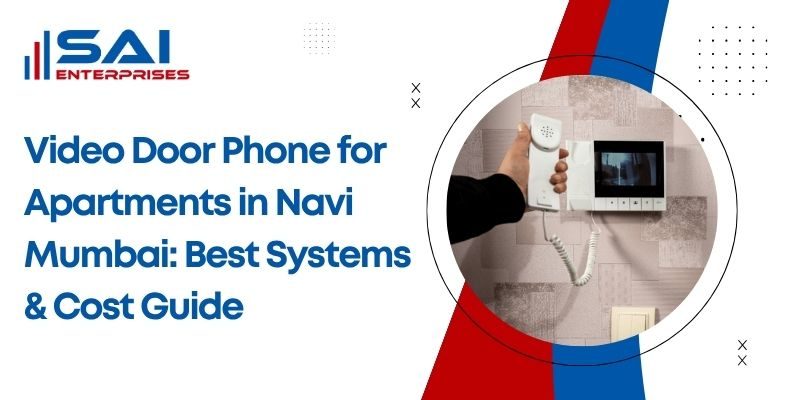
Video Door Phone for Apartments in Navi Mumbai: Best Systems & Cost Guide
A video door phone for apartments in Navi Mumbai lets residents see, speak with and verify visitors before opening a flat door or approving entry. The right system depends on whether you need single-flat protection, society-wide communication, mobile access, electronic-lock integration and central gate connectivity.
For an individual apartment, a simple outdoor camera and indoor monitor may be enough. In a housing society, however, visitor communication can involve the main gate, security desk, multiple towers, hundreds of flats and several controlled entrances.
That is why choosing an apartment video door phone should begin with the building’s visitor workflow rather than screen size or brand.
Which Video Door Phone System Is Best for Apartments in Navi Mumbai?
The best video door phone for apartments in Navi Mumbai is the system that matches the number of flats, entrances and people responsible for approving visitors. Individual flats need simplicity, while societies usually require central entrance communication, scalable flat directories and controlled access.
There is no single VDP configuration that suits every apartment building.
A resident upgrading one flat in Vashi has a very different requirement from a 200-flat society in Kharghar with several wings and a common security gate.
Quick Comparison of Apartment VDP Systems
| Property Requirement | Suitable System | Main Advantage | Check Before Buying |
| One apartment entrance | Single-flat wired VDP | Simple, dependable local operation | Existing cable route |
| One flat needing remote alerts | Wi-Fi/app-enabled VDP | Answer visitors remotely | Wi-Fi quality and app support |
| Small apartment building | Multi-apartment VDP | One entrance serves several flats | Capacity and expansion |
| Large housing society | IP multi-apartment VDP | Scalable communication | Network architecture |
| Guard-controlled building | VDP + guard station | Central visitor screening | Call-routing workflow |
| Controlled main entrance | VDP + electric lock/access control | Verification plus release | Lock type and fail behaviour |
| Multi-layer security | VDP + CCTV + access control | Different systems cover different security tasks | Integration compatibility |
A single-apartment system normally consists of an outdoor camera station and one indoor display.
A multi apartment video door phone adds another layer. Visitors select the correct flat at the entrance, the resident receives the call, and access can then be approved according to the building’s security process.
Current Navi Mumbai search listings show both standalone and multi-apartment products, with 7-inch displays, night vision, wired connectivity and different camera resolutions appearing frequently.
The important point is that specifications alone do not determine whether a system will work well in your building.
Individual Flat vs Society-Wide VDP
Choose an individual flat VDP when:
- only your apartment door needs monitoring;
- the society entrance already has separate security;
- you do not need communication with a common gate;
- only one or two monitors are required.
Consider a society video door phone when:
- visitors must contact residents from the main entrance;
- guards need to verify visitor approval;
- the property has many flats;
- several entrances or towers need connectivity;
- the system needs central administration;
- future flats or additional stations may need to be added.
A society installation should therefore be treated as communication infrastructure, not simply as dozens of individual doorbells.
Should You Choose a Wired, IP or Wi-Fi Video Door Phone?
Wired VDPs suit apartments that prioritise reliable local communication, while IP systems are better for scalable networked buildings and Wi-Fi models add mobile connectivity. The correct choice depends on cabling, building size, internet dependence, expansion requirements and the existing security infrastructure.
Wired Video Door Phone
A traditional wired system carries communication through dedicated cables.
It can be a sensible choice where conduits already exist and the apartment does not require extensive remote features.
Best suited to:
- individual apartments;
- smaller buildings;
- straightforward indoor-monitor-to-door-station communication;
- properties with usable existing wiring.
The main practical advantage is that local door communication does not necessarily depend on the resident’s internet connection.
IP Video Door Phone
An IP VDP communicates over a data network.
This is particularly useful in larger apartment developments where numerous indoor stations, outdoor stations and security desks need to communicate.
Best suited to:
- multi-tower societies;
- large apartment complexes;
- multiple entrances;
- future expansion;
- integration with network-based security systems.
A larger VDP system for apartments should be designed with network capacity, switch placement, cable distances, addressing and backup power in mind.
Wi-Fi or App-Enabled Video Door Phone
Wi-Fi-enabled systems can forward calls and alerts to a smartphone, depending on the product and configuration.
That can be useful when a resident is away from home.
For example, a courier arrives while the resident is at work. An app-enabled unit may allow the resident to view and speak to the visitor without being physically beside the indoor monitor.
This convenience adds another consideration: cybersecurity.
CERT-In has documented vulnerabilities affecting smart home devices where stored Wi-Fi credentials could potentially be exposed, reinforcing the importance of supported firmware and security updates for connected devices.
For an internet-connected VDP, ask whether the manufacturer provides:
- firmware updates;
- secure password controls;
- defined app support;
- user-access management;
- a clear reset/decommissioning process.
Do not select a connected security device only because the mobile application looks convenient.
Which Features Matter Most in an Apartment Video Door Phone?
The most important VDP features are clear visitor identification, intelligible two-way audio, low-light performance, dependable call routing and appropriate access control. Smartphone apps, recording and touchscreens can add convenience, but they should come after the basic visitor-verification workflow works reliably.
1. Clear Video
You need enough image quality to identify the person at the entrance under the lighting conditions that actually exist there.
A higher specification on paper does not compensate for:
- poor camera positioning;
- strong backlighting;
- a dirty lens;
- an excessively wide or narrow view.
2. Night or Low-Light Visibility
Apartment entrances, passages and society gates may have changing illumination.
Check the actual visitor image at night before accepting the installation.
Current Navi Mumbai product listings commonly advertise night-vision functionality, demonstrating that low-light use is already a standard buying consideration in this category.
3. Two-Way Audio
The resident should be able to understand the visitor without repeatedly asking them to speak again.
Test:
- microphone clarity;
- speaker volume;
- echo;
- background traffic noise;
- guard-station communication where applicable.
4. Door or Gate Release
Some VDPs can trigger a compatible electronic lock.
That changes the VDP from a communication device into part of the access-control workflow.
A visitor rings → resident verifies → resident approves → compatible door is released.
If access control becomes part of the project, the lock, exit method, power supply and expected behaviour during a power failure need to be planned correctly.
Sai Enterprises also covers access control system installation, which may be relevant where the VDP must operate alongside controlled building entry.
5. Guard Station Integration
For societies, this can be more important than smartphone connectivity.
Consider an illustrative apartment complex where visitors first arrive at a common gate.
A workable sequence is:
visitor arrives → guard identifies intended flat → resident receives call → resident verifies → guard receives approval → visitor is permitted inside.
Technology should make that process simpler, not introduce extra calls or confusion.
6. Mobile Application
Useful features may include:
- incoming visitor alerts;
- live viewing;
- two-way conversation;
- remote answering;
- event notifications;
- remote unlocking where appropriately configured.
Confirm which functions remain available if the internet connection fails.
7. Visitor Images or Event Logs
Some systems store snapshots, call records or video clips.
Before purchasing, establish:
- what is stored;
- where it is stored;
- how much storage is available;
- who can access it;
- how old records are removed.
How Much Does a Video Door Phone Cost in Navi Mumbai?
The cost of a video door phone in Navi Mumbai varies from basic single-flat equipment to large networked society systems. Hardware is only one part of the installed price; monitors, door stations, cabling, networking, locks, power backup, configuration and labour can materially change the quotation.
Current Indian marketplace prices illustrate how broad the equipment range can be.
TradeIndia currently lists multi-apartment VDP examples from roughly ₹5,000 for some individual hardware configurations to ₹95,000 for certain IP multi-apartment units, while its category-level pricing includes numerous intermediate examples. These are marketplace listings, not complete Sai Enterprises installed quotations.
Ozone currently lists one single-apartment Wi-Fi configuration at ₹21,350 on its product page, again illustrating why model-level hardware prices should not be confused with complete project costs.
Practical VDP Cost Framework
| Cost Component | What It Covers | Why Price Changes |
| Outdoor station | Camera, call button, microphone, speaker | Camera, weather resistance, user capacity |
| Indoor monitor | Screen and controls inside flat | Display, touch interface, networking |
| Additional monitors | Extra answering locations | Number of rooms/flats |
| Cabling | Data/power/communication runs | Distance and conduit availability |
| Network equipment | Switches and networking for IP VDP | Number of devices and architecture |
| Electronic lock | Door release hardware | Door construction and lock type |
| Power backup | UPS/battery/power supply | Required runtime and load |
| Installation | Mounting, termination, testing | Site conditions and cable routes |
| Configuration | Flat mapping, app setup, permissions | System complexity |
| Maintenance | Preventive service/support | Coverage and response terms |
Why Two Quotations May Look Very Different
Imagine two quotations for the same 40-flat society.
Quotation A includes only the entrance station and monitors.
Quotation B includes monitors, entrance station, structured cabling, switches, UPS, lock interface, configuration, commissioning, training and support.
Quotation A may appear cheaper while leaving several project expenses unresolved.
Compare scope before comparing the final number.
What Should a Society Ask For?
Request an itemised bill of materials that states:
- model numbers;
- quantities;
- cable type and approximate scope;
- network equipment;
- power supplies;
- UPS or battery backup;
- lock/interface hardware;
- installation labour;
- configuration;
- warranty;
- AMC/support;
- taxes;
- explicit exclusions.
That provides a more meaningful comparison than asking only, “What is the VDP price?”
How Should a Society Video Door Phone Be Planned?
A society VDP should be planned around entrances, apartment count, towers, guard operations, communication routes, locks, network availability and power backup. Mapping these elements before equipment selection prevents undersized systems, unnecessary features and expensive changes after cabling or installation has already begun.
Sai Enterprises’ Five-Layer Apartment VDP Framework
Use five questions before selecting a system:
| Layer | Question | What to Verify |
| Identification | Can residents recognise visitors? | Camera, night view, viewing angle |
| Communication | Can visitors reach the correct flat? | Directory and call routing |
| Approval | Who decides whether entry is allowed? | Resident/guard workflow |
| Access | How is the entrance opened? | Lock or guard-controlled release |
| Reliability | What happens when something fails? | Network, power backup, support |
This framework is more useful than comparing devices feature by feature because a weakness in any one layer can disrupt the whole visitor process.
Example: 80-Flat Society in Navi Mumbai
Assume a society has:
- two residential wings;
- 40 flats per wing;
- one main pedestrian entrance;
- one security cabin;
- CCTV already installed;
- an electronic pedestrian gate.
Instead of installing 80 unrelated apartment kits, the project could be planned as a common entrance architecture.
Map every required communication point: identify the gate, guard desk, towers and flats before deciding system capacity.
Confirm how visitors select flats: a directory, keypad, apartment number or guard-assisted process should be easy for visitors to understand.
Plan access release: decide whether residents directly release the door or whether the guard remains responsible.
Provide appropriate backup power: a visitor-management system loses value if entrance communication disappears during routine power interruptions.
Test the complete workflow: test visitor calling, resident answering, guard communication and lock release rather than checking each device independently.
For larger gated communities, Sai Enterprises already has a separate guide covering broader video door phone systems for gated societies.
How Is a Video Door Phone Installed in an Apartment?
Professional VDP installation starts with surveying the entrance and communication path, then selecting equipment, planning cabling, installing the outdoor and indoor units, configuring communication and testing visitor calls. Society projects additionally require flat mapping, network commissioning, access integration and end-to-end acceptance testing.
Step 1 — Map the visitor workflow
Identify exactly where a visitor arrives and who must respond: this determines whether you need one flat monitor, a guard station, a common lobby panel or a multi-apartment network.
Step 2 — Inspect existing infrastructure
Check cable routes, conduits, electrical supply and network points: reusing suitable infrastructure can reduce disruption, while assuming unusable old wiring can create faults later.
Step 3 — Select the VDP architecture
Choose single-flat, multi-apartment, wired or IP equipment based on capacity: purchasing a system before confirming user count and entrances can make future expansion unnecessarily expensive.
Step 4 — Position the outdoor station correctly
Mount the camera where a normal visitor’s face is clearly visible: placement affects identification more than catalogue specifications alone.
Also consider outdoor exposure.
Navi Mumbai installations near open entrances should account for rain, humidity, dust and direct sunlight according to the actual installation position and equipment rating.
Step 5 — Install indoor monitors
Place the monitor where residents can conveniently answer calls: the best location is usually based on daily use rather than simply the shortest cable path.
Step 6 — Configure communication and access
Map the correct flat, user or guard station before enabling door release: incorrect call routing defeats the purpose of visitor verification.
Step 7 — Configure connected features securely
Change default credentials and apply manufacturer-supported firmware before handover: connected security devices should not be commissioned with avoidable security weaknesses.
CERT-In’s smart-device vulnerability notices demonstrate why firmware support and credential protection matter for network-connected household equipment.
Step 8 — Perform acceptance testing
Test daylight, night conditions, audio, every configured flat and each access-release path: commissioning should verify real visitor scenarios rather than simply confirming that the screen switches on.
For a deeper installation overview, see Sai Enterprises’ guide to video door phone installation in Navi Mumbai.
How Do You Compare Video Door Phone Quotations?
Compare VDP quotations using system capacity, exact models, cabling, network hardware, lock interfaces, backup power, installation, warranty and post-installation support. Two proposals using similar-looking monitors can represent completely different project scopes, so an itemised technical comparison is more useful than headline price.
Use this checklist.
| Item | Quote A | Quote B | Verified? |
| Outdoor station model | ☐ | ||
| Indoor monitor model | ☐ | ||
| Supported flats | ☐ | ||
| Additional entrance capacity | ☐ | ||
| Night visibility | ☐ | ||
| Guard station | ☐ | ||
| Mobile app | ☐ | ||
| Electronic-lock interface | ☐ | ||
| Cabling included | ☐ | ||
| Network switches included | ☐ | ||
| UPS included | ☐ | ||
| Installation included | ☐ | ||
| Configuration included | ☐ | ||
| Training included | ☐ | ||
| Warranty stated | ☐ | ||
| AMC/support stated | ☐ |
Avoid the “Cheapest Monitor” Trap
A society may spend less on the monitors and considerably more later on:
- adapters;
- switches;
- cabling;
- lock interfaces;
- civil work;
- network troubleshooting;
- replacement power supplies.
Compare the complete operational system.
When Should You Use Professional Video Door Phone Installation?
Professional installation becomes important when a VDP serves several flats, connects to a security desk, releases an electronic door, uses building networking or needs power backup. Correct planning reduces communication faults, incorrect call routing, poor camera positioning and integration problems after residents begin using the system.
A simple homeowner kit can appear straightforward.
A multi-flat installation is different.
It involves several systems interacting:
Outdoor station → communication infrastructure → indoor station → resident decision → door-access mechanism.
In a society, another path may also exist:
Outdoor station → security guard → apartment resident → guard confirmation → entrance access.
Sai Enterprises provides video door phones alongside residential intercom, CCTV and access-control solutions, allowing related systems to be considered together rather than as isolated devices.
For buildings that also need vehicle-entry management, a VDP can form one layer of a wider security setup that includes a boom barrier system.
And once security infrastructure is installed, periodic inspection and support remain important. Sai Enterprises also publishes guidance on security-system and CCTV maintenance/AMC arrangements.
A Practical Apartment VDP Maintenance Schedule
| Component | Suggested Check | What to Test |
| Outdoor camera | Monthly visual check | Lens, damage, visibility |
| Call button | Monthly | Reliable activation |
| Speaker/microphone | Monthly | Clear two-way audio |
| Electronic lock | Monthly | Release and re-lock |
| Indoor monitor | Quarterly | Display, audio, calling |
| Guard station | Monthly | Correct call routing |
| Network equipment | Quarterly | Connectivity and ports |
| UPS/battery | Quarterly | Backup operation |
| App access | Quarterly | Authorised accounts |
| Firmware | Manufacturer schedule | Supported updates |
| Full system | At least annually | End-to-end operation |
High-use society entrances may justify more frequent inspections.
Conclusion
Choosing a video door phone for apartments in Navi Mumbai is less about buying the monitor with the longest feature list and more about creating a reliable visitor-verification process. Apartment count, entrance layout, wiring, network design, guard workflow, access control and backup power should all be considered.
For a site-specific recommendation, Sai Enterprises can assess your apartment or housing society and plan a suitable video door phone installation in Navi Mumbai based on the number of flats, entry points and security requirements.
FAQ’S
Can one apartment have two indoor VDP monitors?
Yes, if the selected VDP supports additional indoor stations. A second monitor can be useful in a duplex or larger apartment where one screen cannot be heard easily from every room. Confirm the model’s maximum monitor capacity and cabling requirements before purchasing additional units, because expansion capability varies by system.
Can a tenant install a video door phone without changing the society’s system?
Sometimes, but permission may still be required if installation affects the common corridor, door frame, exterior wall, wiring shaft or other society-controlled property. A self-contained unit inside the flat is simpler, while any camera, cable or station installed in a common area should be discussed with the building management first.
Can old apartment intercom wiring be reused for a new video door phone?
Sometimes, existing wiring can be reusable only when its cable type, condition, routing and number of conductors match the new VDP’s technical requirements. Do not assume an old voice-intercom cable can automatically support video or IP communication. An installer should test and document the existing infrastructure before recommending reuse.
Can one VDP call several family members’ phones?
Yes, but only on systems whose mobile application supports multiple authorised users or devices. Check the manufacturer’s account limits, notification behaviour and access permissions before buying. It is also sensible to remove former residents’ or unused accounts promptly so remote door access remains restricted to authorised users.
What happens to an app-enabled VDP when internet service stops?
It depends on the architecture. Many systems can retain local indoor-monitor functions while internet-dependent mobile alerts or remote answering stop working. Before installation, ask the supplier to demonstrate exactly which visitor, intercom and door-release functions continue during internet failure so you can distinguish local operation from cloud-dependent features.
Should a VDP outdoor camera record the entire corridor?
Not automatically. Camera placement should focus on identifying visitors at the relevant entrance rather than collecting unnecessary views of neighbouring properties or unrelated common areas. Where a society manages the device, access to recordings, user permissions and retention settings should be defined as part of the system’s operating policy.
