


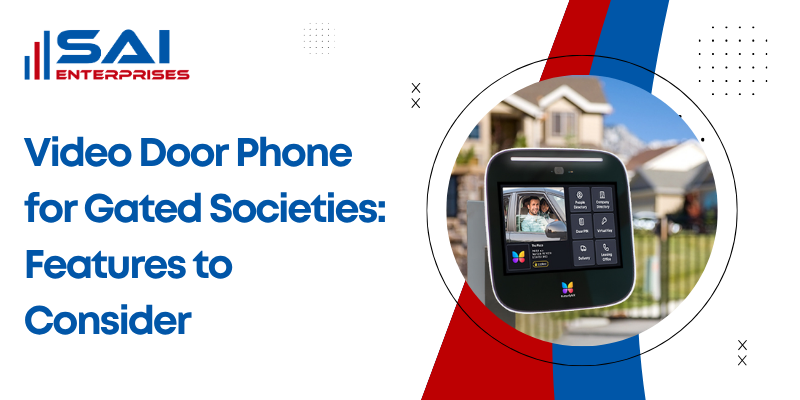
Video Door Phone for Gated Societies: Features to Consider
A video door phone for gated societies should connect the main entrance, security desk and individual flats while allowing residents to visually verify visitors before access is granted. The best system combines clear video, reliable communication, access control, scalability, backup power and straightforward management.
For a single flat, choosing a video door phone can be relatively simple. A gated housing society is different. You may have hundreds of residents, several towers, multiple gates, security guards, delivery personnel, domestic staff and visitors moving through the property every day.
That means society shouldn’t evaluate only camera resolution or indoor screen size. The complete visitor journey from the entrance gate to the correct resident and finally to controlled entry needs to work reliably.
What Is a Video Door Phone System for a Gated Society?
A gated-society video door phone links the main entrance, security desk and individual flats so residents can visually verify visitors before access is granted. Unlike a standalone doorbell, it must support multiple homes, shared gates, guard communication and reliable visitor routing.
A conventional doorbell only tells a resident that somebody is waiting outside. A video door phone adds visual identification and two-way communication before the person is allowed inside.
For housing societies, the architecture can be much broader. Depending on the chosen system, it may contain:
- Main-gate outdoor video station
- Tower or lobby entrance stations
- Indoor monitor in each flat
- Security or guard-station console
- Electronic door or gate lock
- Network switches for IP systems
- Power supplies and UPS backup
- Mobile application access
- Visitor snapshots or call records
- RFID, PIN, biometric or other access-control options
Legrand describes its current multi-apartment door-entry range as scalable for residential projects and lists entrance panels, indoor video units, guard stations and related power components as parts of the ecosystem.
That distinction matters because buying equipment designed for a single home and trying to expand it across a large housing society can create operational problems later.
Single-flat VDP vs gated-society VDP
| Requirement | Single Flat | Gated Society |
| Number of residences | Usually one | Multiple flats/towers |
| Main entrance station | One | One or multiple |
| Guard-station integration | Usually unnecessary | Often important |
| Flat-wise calling | Not required | Essential |
| Expansion capacity | Limited concern | Major consideration |
| Central management | Rarely required | Often required |
| Access-control integration | Optional | Frequently useful |
| Power/network backup | Recommended | Operationally important |
| Visitor-routing complexity | Low | Medium to high |
If your society is still determining the broader installation requirements, Sai Enterprises’ video door phone installation in Mumbai service provides the relevant installation and system-selection pathway.
Which Features Matter Most in a Video Door Phone for Gated Societies?
The most important features are clear day-and-night video, two-way audio, flat-wise calling, guard-station support, remote door release, scalable user capacity, weather-resistant outdoor hardware and dependable power or network backup. Mobile access and recording are useful additions when managed securely.
Don’t build the specification by simply choosing the system with the longest feature list. Prioritise features that solve problems at your society’s actual entrance.
1. Clear video at the entrance
The camera should give residents enough useful detail to recognise the visitor rather than simply showing that someone is standing outside.
Check performance during:
- Bright daytime conditions
- Evening hours
- Dimly lit entrances
- Backlit conditions
- Night-time visitor calls
Secureye’s current buying guide recommends HD or Full HD video and specifically lists night vision among the major video door phone features.
Camera angle matters too. The goal is useful face-level identification around the visitor area, not the widest possible view of unrelated common space.
2. Reliable two-way audio
Residents need to understand the visitor clearly, and the visitor needs to hear the resident or guard.
Test the system with realistic background noise. Mumbai society entrances may have:
- Vehicle movement
- Security conversations
- Children playing
- Road traffic
- Rain
- Delivery activity
A specification sheet can’t show whether the actual entrance environment produces clear communication. A demonstration at or near the intended installation point is more useful.
3. Flat-wise calling
For a large video door phone system for apartments, the visitor should be able to contact the correct resident without creating unnecessary work for the guard.
The interface might use:
- Flat numbers
- Resident directory
- Building/tower selection
- Touchscreen directory
- Physical call buttons
- Keypad-based flat selection
The best method depends on the number of units and how visitors normally enter the society.
4. Security guard station
A guard-station console can act as the coordination point between the gate, residents and other building entrances.
This is especially useful where the society wants security staff to:
- Communicate with residents
- Verify unexpected visitors
- Manage secondary entry points
- Handle calls when residents don’t respond
- Coordinate during emergencies
Legrand specifically offers an IP guard station as part of its multi-residential video-entry portfolio, showing that dedicated guard communication is an established feature of large residential systems.
5. Electronic gate or door release
A resident being able to see a visitor is useful. Being able to authorise entry without unnecessary manual movement makes the system more practical.
However, remote unlocking should be configured carefully.
Residents should understand exactly which entrance they’re releasing, especially when a society has:
- Main pedestrian gate
- Tower lobby
- Service entrance
- Clubhouse entrance
- Parking access
6. Mobile connectivity
Mobile applications can let residents answer calls when they’re away from the indoor monitor.
DoorBird, for example, supports smartphone-based visitor communication and remote opening in its gated-community solutions.
Mobile access can be useful for working residents, but societies shouldn’t make an internet-dependent app the only method of visitor communication unless that operating model has been deliberately chosen.
7. Visitor records and snapshots
Some VDPs can capture visitor snapshots, record calls or maintain access events.
This can help answer practical questions such as:
- Who called the flat?
- At what time?
- Was the call answered?
- Was entry authorised?
Recording capability should be matched with appropriate privacy controls, administrator permissions and retention policies rather than simply storing everything indefinitely.
How Should Visitor Communication Work From the Gate to the Flat?
A well-designed society system should route each visitor from the gate to the correct flat, allow the resident or guard to verify identity, and then trigger approved access. The workflow should remain simple during deliveries, guest visits, emergencies and high-traffic periods.
Before comparing products, map what actually happens when someone arrives.
Recommended visitor workflow
- Identify the destination (tower and flat number): the visitor should be able to locate or enter the correct residence without browsing unnecessary resident information.
- Call the relevant flat: the system should route the call directly to the indoor monitor, approved mobile devices or configured security workflow.
- Verify using video and two-way audio: residents should identify the visitor and purpose before deciding whether entry should be authorised.
- Release only the required entrance: the system should unlock the appropriate gate or door rather than providing broader building access than necessary.
- Return automatically to secure mode: after the visitor enters, the gate or access point should follow the configured locking workflow.
Think about different visitor types
A good society video door phone should work for more than invited guests.
Test the proposed workflow for:
Food and courier deliveries: Can the resident verify the delivery without creating a queue at the gate?
Domestic staff: Will regular staff use a separate access-control method instead of repeatedly calling residents?
Maintenance contractors: Can the security team contact the responsible resident or society representative?
Emergency visitors: Is there a simple process when normal resident verification isn’t practical?
Residents without smartphones: Can they still use an indoor monitor or another straightforward interface?
A sophisticated system that confuses residents or security staff can become less effective than a simpler system with a clear process.
Should a Gated Society Choose Wired, Wireless or IP Video Door Phones?
Wired or IP-based systems are usually better suited to larger gated societies because they offer predictable communication, central management and easier expansion when properly designed. Wireless options can simplify retrofits, but their performance depends heavily on Wi-Fi coverage, interference and building layout.
There isn’t one correct technology for every building.
Comparison: wired, wireless and IP systems
| System Type | Main Advantage | Main Limitation | Often Suitable For |
| Traditional wired VDP | Stable dedicated connection | New cabling may be difficult | Smaller established buildings |
| Wireless/Wi-Fi system | Reduced cabling | Depends on wireless reliability | Small retrofits |
| IP-based VDP | Scalable and integration-friendly | Requires proper networking | Larger societies and new projects |
| Hybrid solution | Uses available infrastructure | Compatibility requires planning | Complex retrofit projects |
When wired systems make sense
Existing dedicated cabling can make traditional wired solutions practical where the required scale and features are supported.
The installer should first check cable quality rather than automatically assuming old wiring can be reused.
When wireless systems make sense
Wireless models can help where running new cables through finished interiors is difficult.
However, Wi-Fi performance measured inside a flat doesn’t automatically prove that connectivity will be reliable at:
- Main security gate
- Lift lobby
- Basement
- Building entrance
- Remote society entrance
Ozokart’s current apartment VDP guide similarly notes that Wi-Fi systems depend on connection strength and that walls and router distance affect the setup.
When IP video door phones make sense
An IP video door phone system uses network infrastructure to connect entrance stations, indoor monitors and related devices.
It can be particularly useful where the society needs:
- Multiple towers
- Multiple entry points
- Central management
- Guard-station communication
- Mobile connectivity
- CCTV or access-control integration
- Future expansion
The network design then becomes part of the security design. Switch capacity, cable distances, network segmentation, bandwidth, device addressing and backup power need to be planned rather than left as afterthoughts.
What Should Mumbai Societies Consider Before Installing a Video Door Phone?
Mumbai societies should prioritise weather protection, surge protection, reliable cabling, drainage-safe outdoor placement and backup power because entrance equipment faces humidity, heavy monsoon rain and power fluctuations. A technically strong system is only useful if it remains dependable during difficult conditions.
This is where a site survey becomes important.
Weather protection
An outdoor entrance station may face rain, humidity, dust and repeated physical use.
Check the manufacturer’s specified environmental or ingress-protection rating for the exact product rather than assuming every outdoor-looking station is equally weather-resistant.
For example, Legrand currently lists IP54 protection on one of its residential video-door entry kits and includes a rain-resistant entrance-panel roof. Product specifications vary, so the rating should be checked for the actual unit being proposed.
For Mumbai installations, the installer should also consider whether:
- Rainwater flows towards the panel
- The wall remains damp
- The entrance is exposed to direct rainfall
- Cable entry points are properly protected
- A suitable canopy or enclosure is required
Power backup
A security system losing power exactly when the building has a power interruption defeats part of its purpose.
Determine which components need backup:
- Gate station
- Security console
- Network switches
- Indoor monitors where required
- Electronic lock/access controller
- Router or communication equipment
Secureye’s installation guidance also recommends integrating VDP systems with UPS backup.
Cabling
For new societies, planning communication and network cabling while electrical and ELV infrastructure is accessible is easier than retrofitting later.
For existing societies, inspect:
- Available conduit space
- Cable condition
- Long cable runs
- Junction boxes
- Network cabinets
- Power availability
- Earthing
- Water-exposed routes
Don’t approve a large installation based solely on a showroom demonstration.
What Determines Video Door Phone Cost for a Housing Society?
Society-wide pricing cannot be judged by the cost of one monitor or door station. The total project depends on the number of flats, gates, guard stations, cable routes, network hardware, locks, backup power, integration requirements, installation labour and ongoing support.
This is one of the biggest differences between buying a VDP for one house and designing one for a society.
Main cost factors
| Cost Factor | Why It Changes the Project |
| Number of flats | More indoor stations/licenses/endpoints |
| Number of towers | Additional communication infrastructure |
| Number of entrances | More outdoor stations and controls |
| Guard stations | Additional management hardware |
| Wired vs IP system | Different network/cabling requirements |
| Existing cabling | May reduce or increase installation work |
| Electronic locks | Adds access-control hardware |
| Mobile app/cloud features | May involve licensing or subscriptions |
| UPS/power backup | Adds resilience infrastructure |
| Integration | CCTV/access control can increase configuration |
| AMC/support | Affects long-term operating cost |
Retail product prices are useful only as reference points. For example, Legrand’s Indian store currently lists standalone 7-inch residential VDP kits at approximately ₹14,750–₹15,222. Those figures are for specific products, not a quotation for an entire gated society.
A multi-building installation can involve substantially more equipment and infrastructure.
Ask for a scope-based quotation
Instead of asking only:
“What is the price per flat?”
Ask the vendor to specify:
- Equipment make and model
- Quantity of each component
- Cable type and approximate quantity
- Network equipment
- Power supply
- UPS requirements
- Electronic locks
- Installation labour
- Civil work exclusions
- Programming/configuration
- Testing
- User training
- Warranty
- Software or cloud charges
- AMC options
This makes quotations easier for the society committee to compare.
How Should Cybersecurity and Visitor Privacy Be Handled?
For IP-connected systems, societies should treat cybersecurity and privacy as core buying criteria, not optional extras. Strong passwords, controlled administrator access, firmware updates, encrypted communication where supported, clear data-retention rules and limited access to visitor records reduce unnecessary security and privacy risks.
A connected VDP isn’t just a camera and screen. It can also be a networked device handling visitor images, call information and potentially access records.
CERT-In recommends measures such as strong authentication, access control and regular updates for connected systems. Its Smart City Infrastructure guidance also recommends encrypted communication, secure storage and regular firmware maintenance for connected camera infrastructure.
Cybersecurity questions for the vendor
Ask:
- Can default administrator passwords be changed?
- Are separate administrator/user roles supported?
- How are firmware updates delivered?
- Can remote access be disabled if the society doesn’t require it?
- Is communication encrypted where supported?
- Where are visitor images or videos stored?
- Does mobile access require a cloud service?
- What happens if the internet connection fails?
- How are old residents removed from the system?
- Who can export visitor records?
Don’t ignore visitor data
The Ministry of Electronics and Information Technology’s Digital Personal Data Protection framework defines personal data as data relating to an identifiable individual and covers digital processing such as collection, recording, storage, use and sharing.
Society committees should therefore understand what their system records and seek appropriate legal/privacy guidance for their particular use where required.
The practical rule is simple: collect and retain only what the society genuinely needs, restrict who can access it, and understand where that information is stored.
What Should You Ask a Video Door Phone Installer Before Approval?
Before approving a vendor, the society should insist on a site survey, capacity plan, wiring or network design, device compatibility list, backup strategy, installation scope, testing procedure, user training and written support terms. This prevents feature promises from failing during real deployment.
A video door phone for gated societies should be selected after understanding the property not from a catalogue alone.
Pre-installation vendor checklist
Ask your installer to document:
1. Number of endpoints
- Total flats
- Main gates
- Tower entrances
- Guard stations
- Secondary entrances
2. System capacity
- Current maximum users
- Future expansion limit
- Extra tower capability
3. Communication design
- Gate-to-flat calls
- Guard-to-flat calls
- Flat-to-guard calls, if required
- Missed-call handling
4. Network and wiring
- Cable type
- Switch requirements
- Maximum cable runs
- Existing infrastructure reuse
5. Access-control integration
- Electronic locks
- RFID
- PIN
- Biometric systems where appropriate
- Existing gate controls
6. Backup plan
- UPS runtime
- Equipment covered by backup
- Behaviour during internet failure
7. Data management
- Visitor snapshots
- Video storage
- Access logs
- User permissions
- Data deletion/retention
8. Testing and handover
- Every flat tested
- Audio/video verified
- Gate unlocking verified
- Backup power tested
- Guard station tested
- Resident demonstration completed
Don’t skip future expansion
Suppose a society currently has 120 flats but plans another tower containing 80 homes.
Installing a system with little spare capacity could make the later expansion unnecessarily expensive.
The better question is:
“Can this architecture support our expected size over the next several years?”
This is particularly important for an IP or multi-apartment video door phone project.
A Practical Five-Layer Framework for Choosing a Society VDP
Instead of comparing dozens of individual features, society committees can use this five-layer framework.
| Layer | Question to Ask | What to Verify |
| 1. Identification | Can residents clearly identify visitors? | Video, night view, audio |
| 2. Communication | Can calls reach the correct person? | Flat directory, guard station |
| 3. Access | Can authorised entry be controlled safely? | Lock/gate integration |
| 4. Reliability | Will the system work during failures? | Network, UPS, weather protection |
| 5. Management | Can the society operate it long term? | Admin controls, logs, AMC, expansion |
A flashy feature should not compensate for a weakness in one of these five layers.
For example, facial recognition may sound advanced, but it doesn’t solve a weak network connection between the gate and towers.
Likewise, a high-resolution display doesn’t help if the outdoor station regularly fails during wet weather.
How Often Should a Society Video Door Phone Be Checked?
Preventive checks help identify faults before they affect visitor communication or gate access.
A practical maintenance schedule can look like this:
| Component | Suggested Check | What to Review |
| Outdoor camera/station | Monthly visual check | Lens, damage, moisture, call buttons |
| Two-way audio | Monthly | Speaker and microphone clarity |
| Electronic lock | Monthly | Release and re-lock operation |
| Indoor monitors | Quarterly | Calls, display, audio |
| Guard station | Monthly | Incoming/outgoing communication |
| Network equipment | Quarterly | Connectivity and device status |
| UPS/battery | Quarterly | Backup operation and battery condition |
| Firmware/software | As recommended by manufacturer | Updates and security fixes |
| Full system test | At least annually | End-to-end performance |
Higher-use societies may need more frequent inspection.
Sai Enterprises also provides security-system maintenance covering equipment such as video door phones, intercoms and related security infrastructure through its AMC services.
Conclusion
Choosing a video door phone for gated societies is less about finding the model with the most features and more about building a dependable entrance-security workflow. Video quality, flat-wise communication, guard integration, access control, scalability, weather protection, power backup and long-term support should all be evaluated together.
For housing societies in Mumbai and Navi Mumbai, Sai Enterprises can assess the property layout and recommend a suitable video door phone, intercom and access-control configuration based on the number of flats, entrances and operational requirements.
FAQ’S
Can a video door phone work in a society with multiple towers?
Yes, provided the system is designed for the required capacity. Multi-apartment and IP-based systems can connect multiple entrance stations, towers, indoor monitors and guard stations. The installer should confirm maximum device capacity, network topology and expansion limits before the society approves the system.
Can residents answer the society gate video door phone from their mobile phones?
Yes, if the selected VDP supports mobile-app connectivity. Residents may receive visitor calls, communicate remotely and, on compatible systems, authorise access. However, societies should also check internet dependency, user permissions, app support, cybersecurity controls and whether any cloud subscription is required.
Does a society video door phone need internet access?
No, not every VDP requires internet connectivity. Traditional wired systems can operate using dedicated communication wiring, while IP systems can work across a local network. Internet access is generally needed for functions such as off-site mobile answering, cloud connectivity or certain remote-management features.
Can a video door phone be connected with an existing electronic gate lock?
Yes, but compatibility must be verified first. The installer needs to check the lock type, controller, voltage, relay requirements and existing access-control configuration. Never assume two products will integrate simply because both advertise remote unlocking; the complete gate-control circuit should be assessed.
Can the existing intercom wiring in an old Mumbai society be reused?
Sometimes, but only after testing the cable and confirming system compatibility. Cable condition, conductor count, distance, interference and the technology of the new system all matter. Reusing unsuitable wiring can reduce communication quality or reliability, so it should not be assumed during quotation.
What happens to the video door phone during a power cut?
The result depends on the backup design. If the entrance station, guard console, switches, network equipment and relevant access controller are connected to an appropriate UPS or inverter, essential functions may continue. The proposed backup architecture and expected runtime should be demonstrated before project handover.
Is a video door phone enough to secure an entire housing society?
No, a VDP is one part of a layered security system. Depending on the property, societies may also need CCTV surveillance, access control, boom barriers, trained security staff and appropriate visitor-management procedures. Each technology addresses a different part of entrance and premises security.
